
Login Instructions
Accessing Your Student Account
Prerequisites
- Registered student account
- Valid email and password
Steps
Visit the WebAPD student login page: https://amu.apd.et/students.
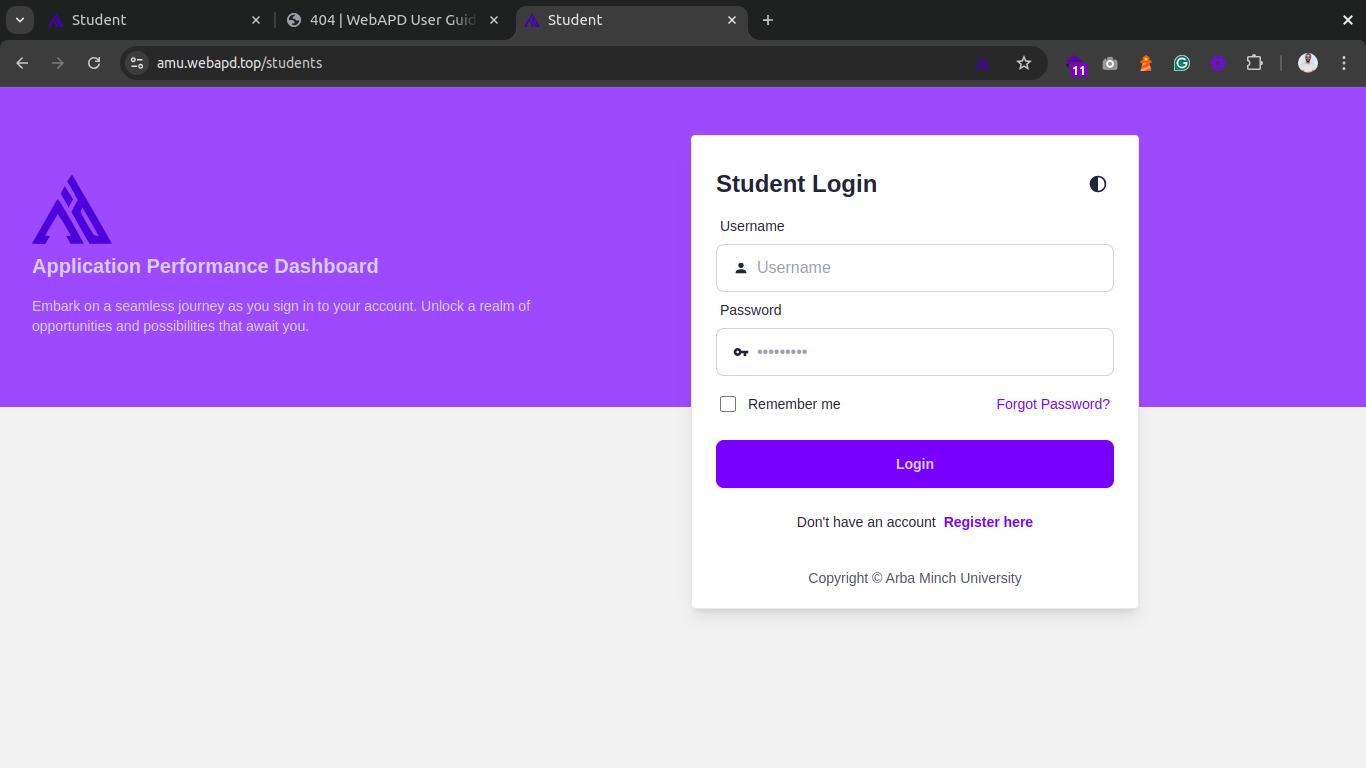
Ensure the URL includes
/students(not for staff).Enter your credentials:
markdown- Email: (Use your registered email) - Password: (The one you set during registration)Click Login to access your account.
Account Not Recognized? Ensure you are using the correct email or register first.
Forgot Your Password?
If you can’t remember your password:
- Click Forgot Password? on the login page and this page will appear:
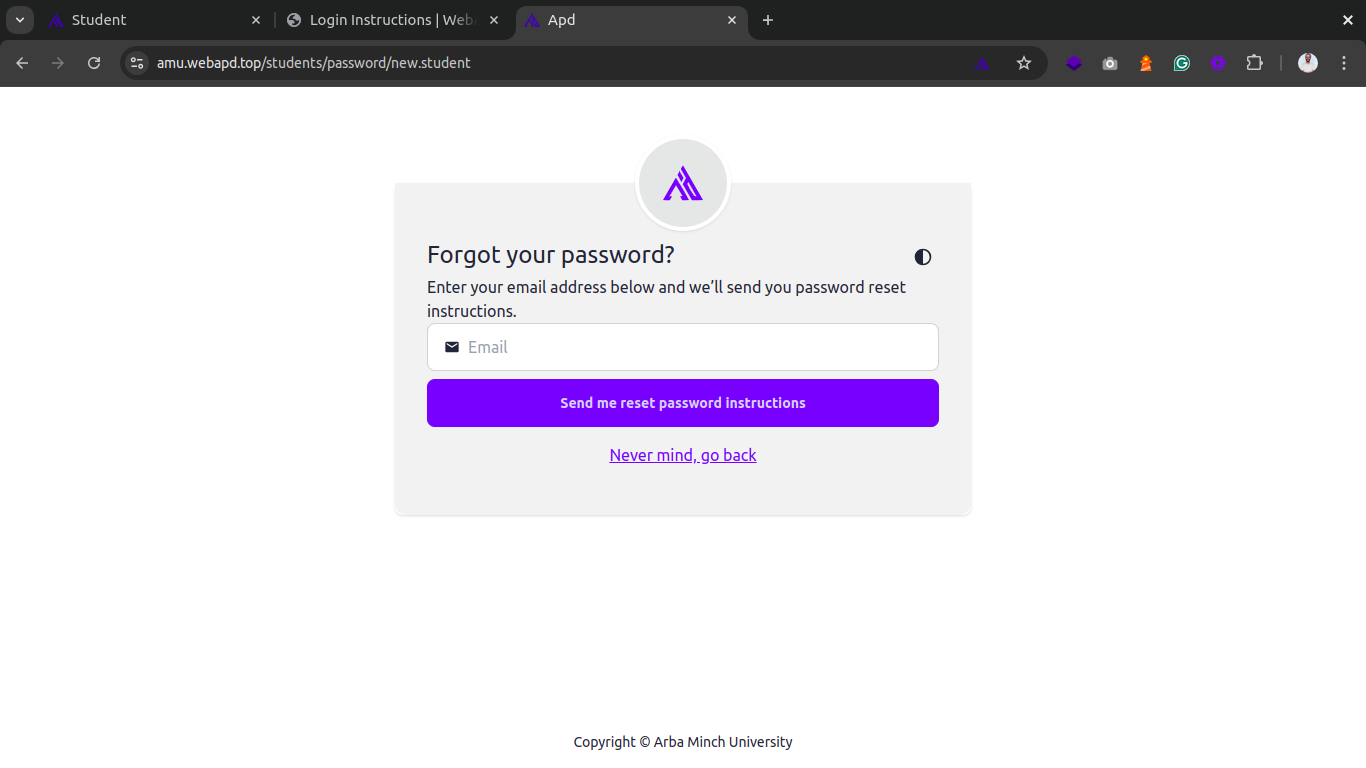
- Enter your registered email address: Make sure to use the same email you registered with.
- Check your inbox for a password reset link (check spam/junk if missing).
- Click the link and follow the prompts to set a new password.